In This Article
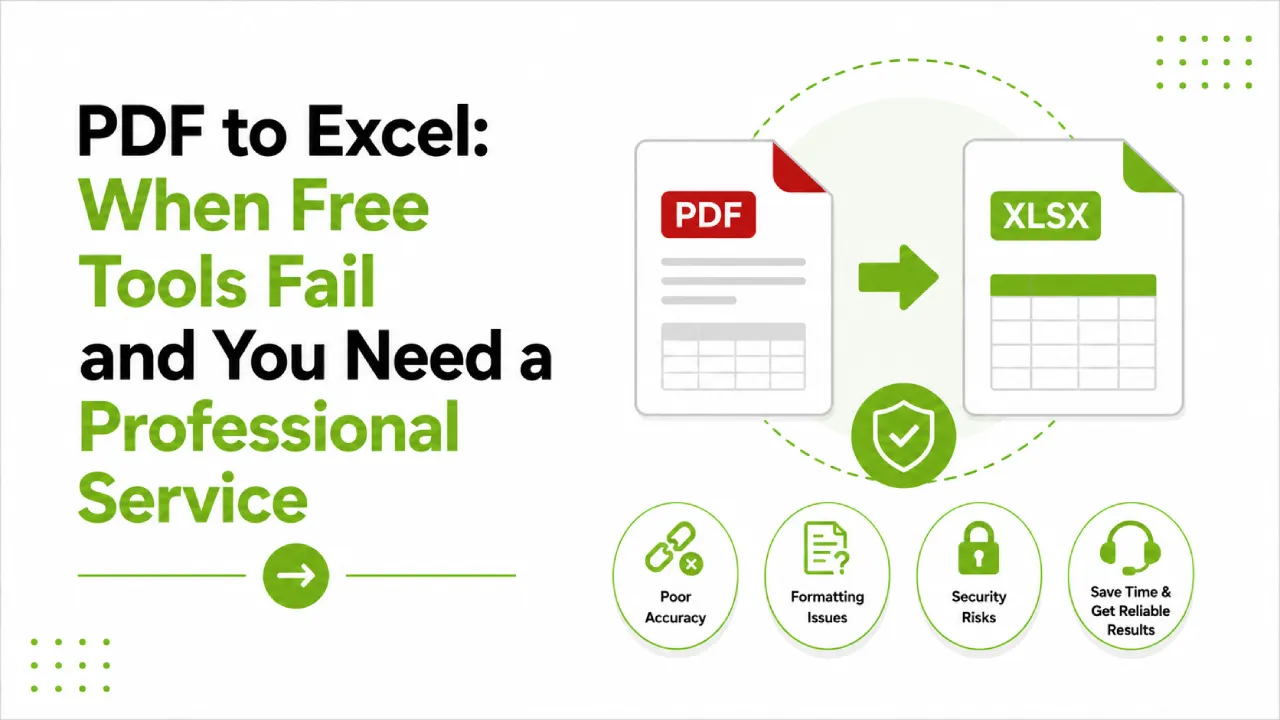
Finance teams deal with this situation constantly. A PDF arrives, it’s full of data you need in Excel, and someone runs it through a free converter expecting a clean spreadsheet. What comes back is something in the general shape of a spreadsheet, with merged cells that don’t belong together, numbers formatted as text, totals that sit in the wrong rows, and table structures that the tool decided to interpret in its own creative way.
For a five-page document with simple formatting, this is annoying but fixable. For a 90-page quarterly report with multi-level tables, footnotes, and calculated fields, it’s a problem that costs more to clean up than it would have cost to get the conversion done properly in the first place.
Why Free PDF to Excel Tools Struggle
The core issue isn’t really the tools. It’s what PDFs are.
A PDF is a presentation format. It’s designed to make documents look the same on any screen or printer. It has no inherent concept of “this is a table” or “these numbers belong to that column heading.” The spatial arrangement on the page looks like a structured spreadsheet to a human reader, but the underlying file stores it as positioned text objects. When a converter tries to reconstruct that as a workable Excel file, it’s essentially guessing at the structure.
For simple, single-column tables with consistent formatting, the guess is usually close enough. But financial documents are rarely that simple. Bank statements with running balances, income statements with subtotals across multiple categories, invoices with line items that span descriptions of varying length, consolidated reports that mix narrative text with embedded figures — all of these push free converters into territory where the guesses start being wrong in ways that aren’t immediately obvious.
And that last part is the real problem. An obviously broken output is easy to reject. An output where numbers look right but relationships between cells have been silently corrupted is something you might not catch until a calculation returns the wrong answer.
The Specific Ways Financial PDFs Break in Free Conversion
Table Structures Don’t Survive Complex Layouts
Multi-level headers are a persistent problem. A financial table with a main category heading, subcategory rows beneath it, and a summary row at the bottom often comes through as flat data with the hierarchy destroyed. The converter doesn’t know that the indented rows are subordinate to the category above them. It just sees text at different horizontal positions and makes its best guess about what columns they belong to.
Merged cells make this worse. Free tools handle merged cells unpredictably. A header that spans four columns in the original might land in a single cell in the output, or get split across cells in a way that breaks the column alignment for everything below it.
Numbers That Aren’t Really Numbers
This is probably the most damaging failure mode for finance work. A free converter regularly outputs numbers formatted as text. They look like numbers in the cell. The column sums to zero. You build a model on them and it’s wrong throughout, and the error might not surface until you’re three analyses deep.
Currency symbols, comma separators, brackets for negative values, percentage signs — any of these can cause a converter to treat the number as a string rather than a value. Financial documents use all of these constantly.
Scanned Financial Documents Are a Different Problem Entirely
A lot of older financial records, archived statements, historical filings, and documents received from third parties exist as scanned PDFs. These aren’t PDFs with underlying text. They’re images of pages. Free converters that don’t include real OCR processing can’t read them at all, or produce output where numbers and text are garbled because the OCR wasn’t designed for financial document layouts.
Handwritten annotations, stamps, low-quality scans, documents with mixed print quality — all of these require human review alongside the technical conversion process. Automated tools don’t do that.
Multi-Page Reports Lose Consistency Across Pages
Page breaks in financial reports don’t always fall at natural table boundaries. A table that spans multiple pages, with the header row repeating on each page, often comes through as multiple separate tables in the Excel output rather than one continuous dataset. Stitching those back together manually across a long report is exactly the kind of tedious, error-prone work that creates pressure to rush.
What a Professional PDF to Excel Conversion Service Delivers
The difference comes down to two things that automated tools can’t provide: structural interpretation and verification.
A professional service doesn’t just extract text from positions on a page. It reconstructs the intended data structure. That means recognising that indented rows are subcategories, that a repeated header row signals a continuing table rather than a new one, that a cell spanning columns shouldn’t be split, and that negative values in brackets should come through as negative numbers in Excel, not text strings in parentheses.
The verification side is equally important and more often overlooked. Before a converted file is delivered, someone needs to check that the numbers in the output match the source, that column sums reconcile, that the row count is right, and that the formula-ready cells are actually formula-ready. That check isn’t something you can automate meaningfully. It requires a person with the source document open alongside the output.
For finance teams, this matters more than it does in most other contexts. The downstream consequences of a conversion error in financial data are real: wrong analysis, incorrect reporting, models that produce misleading outputs. The cost of getting it right upfront is much lower than the cost of finding the error later.
Stellar Data Entry provides professional PDF to Excel conversion for financial documents, with human QA on every project and a free trial so you can see the difference on your own files before committing.
The Financial Document Types Where Professional Conversion Matters Most
Bank Statements and Transaction Data
Multi-year bank statement histories, particularly from institutions that issue statements as scanned PDFs, are among the most time-consuming documents to convert accurately. Transaction descriptions, running balances, charges, and credits all need to land in the right columns in the right format. A conversion error in transaction data can cause reconciliation failures that take hours to trace.
Audit Reports and Financial Filings
External audit reports, regulatory filings, and historical financial statements often carry complex table structures with footnotes, cross-references, and layout conventions that free tools simply weren’t designed for. Getting these into workable Excel format requires understanding not just the visual layout but the financial conventions the tables follow.
Supplier Invoices and Accounts Payable Data
High-volume invoice processing is a common use case. Line items, unit prices, quantities, tax figures, totals – each of these needs to land in a consistent column structure across what might be hundreds of invoices from dozens of suppliers, each formatted slightly differently. Consistent, structured output is something automated tools can’t guarantee at any useful volume.
Investment and Portfolio Reports
Portfolio statements, fund performance reports, position summaries. These often come from custodians or fund administrators as PDFs and need to be ingested into internal models or reporting systems. Format consistency across multiple reporting periods, correct handling of negative returns, and accurate representation of multi-asset class structures are all areas where professional conversion earns its cost quickly.
What to Actually Look for in a Conversion Service
Finance-specific experience matters more here than it does for general document conversion work. A team that handles financial PDFs regularly knows how to treat brackets as negative numbers, how to recognise and preserve table hierarchies in income statements, and what the right column structure looks like for common financial document types. That knowledge reduces errors and speeds up the work.
Accuracy verification needs to be part of the process, not something you’re left to do yourself after delivery. Ask how the provider checks converted files before sending them back. If the answer is vague or focused only on automation, that’s worth knowing.
Turnaround time matters for finance teams working to reporting deadlines. Find out what standard and rush options look like before you’re in a position where you need the faster one.
And on confidentiality: financial documents are sensitive by definition. You want a signed NDA, secure file transfer, and a clear answer to the question of what happens to your files after the project is done. A provider who handles financial data regularly will have answers to all of this without needing to be pressed.
Frequently Asked Questions
Why do free PDF to Excel converters struggle with financial documents specifically?
Financial documents use table structures, formatting conventions, and numerical notation that are hard for automated converters to interpret correctly. Brackets for negative values, merged header cells, multi-level category structures, running totals, footnotes that reference cells – all of these create ambiguity that automated tools tend to resolve incorrectly. The more complex the financial document, the worse the output tends to be.
Can professional conversion handle scanned financial statements?
Yes. Scanned PDFs require OCR processing combined with human review, and professional services are set up for both. This is one of the clearest cases where a free tool simply can’t do what’s needed: if there’s no underlying text in the file, the automated converter has nothing to work with.
How accurate is the output?
For a professional service with proper QA, accuracy on financial data should be very high, with spot-check verification and source reconciliation built into the process. If you’re evaluating a provider, ask specifically what their QA process involves rather than just requesting an accuracy percentage. The process answer tells you more than the number.
What does the free trial involve?
Stellar Data Entry’s free trial lets you submit a sample of your actual financial documents and receive converted Excel files before you commit to anything. It’s the most direct way to see how the service handles your specific document types, layouts, and formatting conventions.
How long does a typical conversion project take?
Straightforward financial documents at modest volume can usually be turned around within a business day or two. Large-scale projects involving hundreds of pages, scanned documents, or complex multi-table structures take longer and should be properly scoped upfront. For time-sensitive reporting work, ask about expedited options before the deadline is close.
Is it safe to send financial documents to an external service?
With the right provider, yes. The non-negotiables: a confidentiality agreement signed before any files are shared, secure file transfer protocols, controlled access to your documents, and a documented policy on deletion once the work is complete. These should be standard practice for any provider handling financial data, not extras you have to negotiate for.
Finance teams dealing with PDF to Excel conversion shouldn’t be spending time on cleanup that a professional service would have avoided. Start your free trial with Stellar Data Entry and send us a sample of your financial documents today.