In This Article
Old data and new systems rarely speak the same language. Whether you’re migrating platforms, upgrading infrastructure, or trying to get legacy records into a format your team can actually use, something in the middle has to translate.
This guide covers what data conversion services actually involve, when the need tends to show up, and what to look for when you’re choosing who handles it.
What Data Conversion Services Actually Involve
People use the term loosely, which causes confusion. Worth getting precise.
Data conversion is the work of transforming information from one format, structure, or medium into another without losing what the data actually means. The technical side of that sounds simple enough. Move the content, change the container. In practice, content gets misinterpreted in the move. Formatting collapses. Relationships between fields break. Character encoding issues introduce errors that aren’t visible until someone runs a query and gets nonsense back.
Conversion is different from migration, by the way. Migration moves data from one location or system to another. Conversion changes its structure or format. The two come bundled together in a lot of projects, particularly during software upgrades, but they fail in different ways and need different handling. A team that doesn’t notice this distinction tends to treat both as the same solved problem. They’re not.
Stellar Data Entry handles data conversion across a wide range of formats and source types, with quality checking built into the process rather than added at the end.
The Conversion Types Businesses Use Most
The category is broad. Here’s where most of the actual work falls.
Document Format Conversion
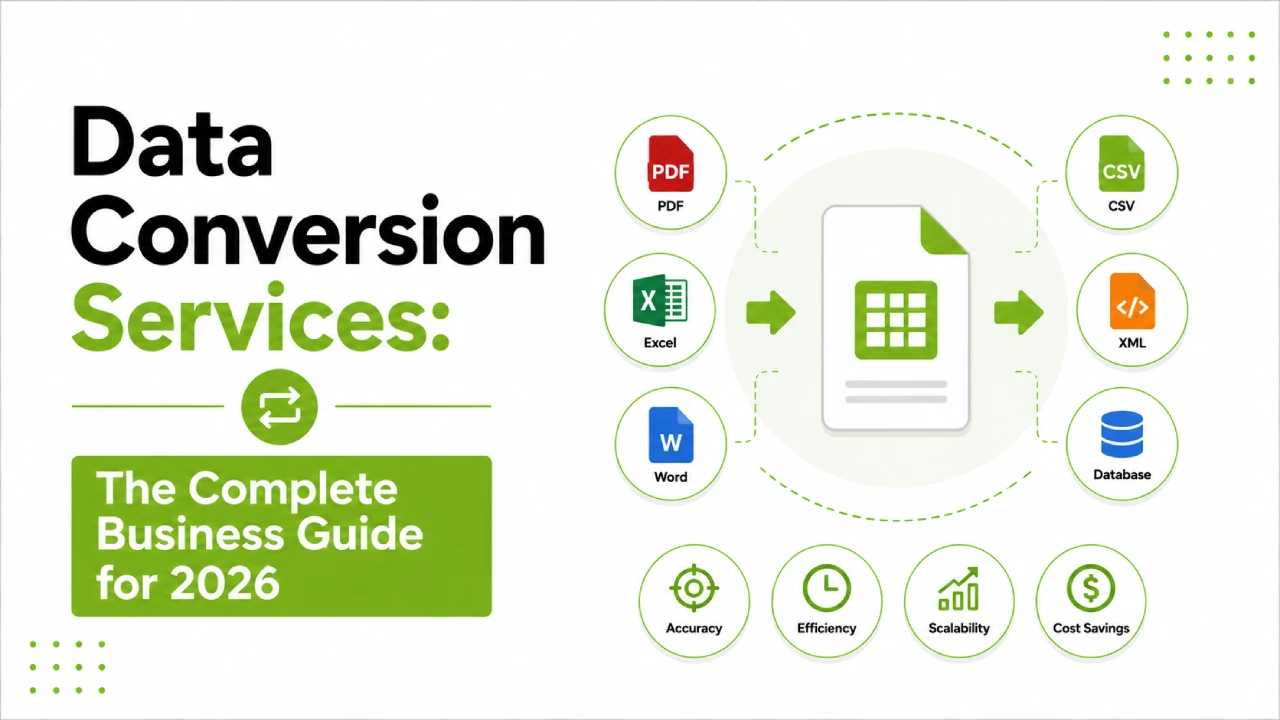
PDF to Excel, Word to XML, HTML to structured database formats. Familiar to most businesses, and often underestimated in complexity. The thing is, format conversion isn’t purely reformatting. A PDF table has no inherent knowledge that it’s a table. Getting the data out accurately requires OCR, structural interpretation, and human review at any point where the layout is inconsistent, cells are merged, or content spans multiple pages in unusual ways. Clean output from a document conversion requires more judgement than most automated tools apply.
Legacy System Data Conversion
At some point, businesses that have been running the same software for a decade or more need to move on. The data accumulated inside that software, customer records, financial history, transaction logs, product catalogues, has to survive the transition. Legacy systems often store data in proprietary formats or outdated structures that the new platform won’t recognise, and the field mapping exercise alone can get complicated fast. Getting this wrong means arriving at the new system with records that look complete but contain errors nobody notices until months later.
Physical to Digital Conversion
Paper records, physical forms, handwritten documents, microfiche. None of this is readable by a digital system without conversion work first. OCR technology handles typed material reasonably well. Handwritten content or unusual form layouts tend to need more human involvement. This is honestly the conversion type where provider quality varies most, because the automated tools available to everyone are roughly equivalent and what actually differs is the human review layer.
Data Structure Conversion
JSON to XML, flat files to relational databases, one API schema to another. More technical than document conversion, and it comes up constantly in integration and engineering contexts. What makes this tricky isn’t understanding how the formats differ structurally. It’s understanding what the data is supposed to mean in each context, and that’s something purely automated tools get wrong more often than people expect.
Image and Media Metadata Conversion
Less commonly discussed: converting image formats, extracting and restructuring metadata from media files, working between coordinate systems in mapping data. Niche, but for the businesses that need it, seriously underestimated in complexity.
When Does the Need Actually Come Up?
System migrations are the most common trigger. Any significant platform switch, CRM, ERP, cloud transition, accounting software, pretty much anything, tends to require conversion work because data almost never moves cleanly between systems in different formats.
Compliance is another driver that businesses often don’t frame as a conversion problem until they’re in the middle of it. Regulatory bodies and auditors increasingly want data in specific formats. If historical records are sitting in formats that don’t meet those expectations, getting them into shape is conversion work whether it gets called that or not.
Integration projects produce conversion work regularly too. When two systems need to share data but speak different formats, something has to bridge the gap. Building that infrastructure in-house is possible, but for one-time or occasional conversion work, outsourcing tends to be more efficient than maintaining custom pipelines for every data exchange.
And then there are the inherited problems. An acquisition, a department absorption, years of patchwork systems. Businesses in this situation often have data sitting in formats nobody quite planned for, and getting it into something consistent and usable is conversion work with or without the label.
What Separates Conversion Work That Holds Up from Work That Doesn’t
The short version: automated tools are fast and work well on clean, uniform data. Most real business data isn’t that.
When automated conversion hits encoding edge cases, inconsistent field values, structural exceptions, or records that were created by different systems at different times, it tends to fail quietly. The output file looks fine. You load it into the target system and a thousand records have a field that wasn’t mapped, or date values interpreted differently from how they were stored. Nobody knows until someone runs a report six weeks later.
A service that actually holds up has verification running through the process, not bolted on at the end. That looks like field-level checks against source material, relationship validation between records, sample testing in the target environment before the full dataset loads. But rather than describe the ideal checklist, here’s the question that actually tells you which kind of provider you’re dealing with: ask what happens when the data doesn’t behave the way the process expected. Not what their accuracy rate is on standard jobs. The exception-handling answer is the one that matters.
Choosing the Right Provider
Format expertise is worth establishing early. Document conversion and structured data conversion are genuinely different skill sets. A provider that handles large-scale PDF processing very well may have limited experience with schema mapping and API formats. One that’s technically strong on data structure work may not be set up for high-volume document scanning. Understanding which category your project falls into before comparing quotes saves a lot of wasted conversations.
Ask for references from similar projects, specifically in terms of format type, volume, and complexity. Prior experience with your specific source format or sector is genuinely valuable here. A team that has worked through the same kind of conversion before will flag the edge cases earlier and make fewer mapping assumptions.
On security, the basics need to be in place before any source data changes hands. Confidentiality agreements, secure file transfer, restricted access, a documented policy for what happens to source files when the work is done. These aren’t extras. Ask about them specifically rather than assuming.
Scope is the cost question that usually gets skipped. Conversions that look clean in the quoting stage sometimes aren’t, and the first pass through a dataset often reveals structural issues in the source material that add scope. A provider who builds contingency into the process upfront is likely to deliver without surprises. One who prices for the ideal case tends to be more expensive overall once the reality surfaces.
Stellar Data Entry offers a free consultation to scope your data conversion project before work begins. That conversation tends to surface things that would otherwise only show up mid-project.
Frequently Asked Questions About Data Conversion Services
What is the difference between data conversion and data migration?
They get conflated a lot. Migration is about location: moving data from one system or storage location to another. Conversion is about structure: changing the format or schema the data lives in. A lot of projects involve both at once, but the problems they produce are different. If something goes wrong with the migration, data ends up in the wrong place. If something goes wrong with the conversion, data arrives where it should be but comes out wrong or incomplete when you try to use it.
How accurate is automated data conversion?
On clean, consistent input, reasonably accurate. The gap opens up with anything that doesn’t match the expected pattern, and most real business datasets have at least some of that. Encoding variations, inconsistently formatted fields, records created by different systems across different periods, structural exceptions that weren’t anticipated when the process was set up. Fully automated conversion without human review almost always produces some errors, and they’re often not visible until the data is live.
How long does a project like this take?
Short answer: it depends too much on specifics to give a useful general figure. A straightforward format conversion on a few thousand well-structured records might be done in a day. A legacy system extraction with complex field mapping, plus QA cycles and testing in the target environment, is a different scale of project entirely. Get a scoped estimate based on your actual source material rather than accepting a rough quote built on assumptions.
What formats can actually be converted?
Most common formats are covered: PDF, Excel, CSV, XML, JSON, HTML, SQL databases, legacy proprietary formats, image files with OCR extraction. The range is wide, but the more unusual the source format, the more it matters that the provider has direct prior experience with it. General capability claims are less useful than a track record with your specific format.
Is it safe to share business data for conversion work?
With the right provider, yes. The questions to ask before anything moves: is there a signed confidentiality agreement? How are files transferred? Who can access the data during the project? What happens to source files after the work is complete? These are standard expectations for a reputable service, and a provider who gets evasive about any of them is telling you something.
What should I have ready before requesting a quote?
A sample of your actual source data, even a small batch, is the single most useful thing. It lets the provider assess real complexity rather than guessing from a description. After that: a clear picture of where the converted data needs to go and in what format, a volume estimate, and any complications you’re already aware of in the source data, inconsistent field usage, records from multiple systems, known encoding problems. The more of that you can bring upfront, the more useful and accurate the quote will be.
Not sure how complex your data conversion project is or where to start? Book a free consultation with Stellar Data Entry. We’ll scope the work properly and give you a clear picture before anything begins.